ATI X1900 XT with Thermaltake TMG-AT1 Cooler Swap
Posted: Nov. 30th, 2007
After reading on your site about the loud and occasionally ineffective stock fan for the ATi Radeon X1900 XT in my Quad 3GHz Mac Pro, (Was your card's fan loud? Had any overheating or display artifacts?-M)
Yes, the card's fan was loud and bothersome-- moreso over time. At times, it sounded like a wind tunnel when I was stressing the graphics
subsystem-- mainly during movie editing with FCP, games, or intensive work with Aperture/PS. I did not note any display artifacts at any time.
I decided to try to find a replacement for it. The noise it was producing was becoming more bothersome the longer I have had it. I had read the article on your site regarding the Arctic Cooling Accelero X2, and I was going to go with that fan, but I couldn't find anyone selling it. (There's been other X1900 replacement cooler articles/posts here also (Zerotherm GX815, Accelero S1, Zalman VF900-Cu - see Related links at bottom of page here (from the Video topics page/Graphics card/cooler section)-M)
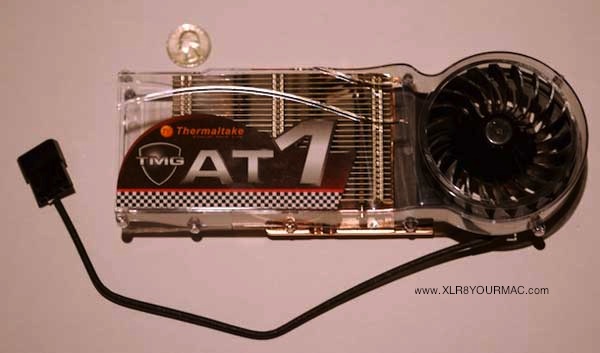
After doing a bit more searching on the net, I found the Thermaltake TMG-AT1 replacement fan for the X1900 and ordered it from FrozenCPU.com ($45 shipped). I didn't see anything about this fan on xlr8yourmac, so I thought I'd write you about it to give others another option for a fan/heatsink replacement for the X1900.
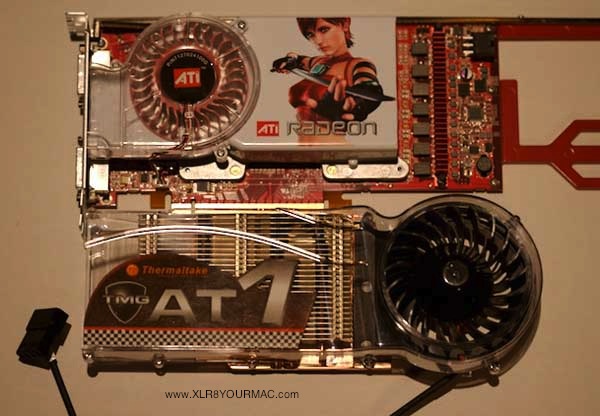
The fan is really well constructed and pleasant to look at. It is larger than the stock fan, and the one benefit that this cooler has over the AcceleroX2 is that it vents the hot air off the heatsink out of your Mac Pro, using the same outlet as the stock fan.
Here are some photos of the TMG-AT1:
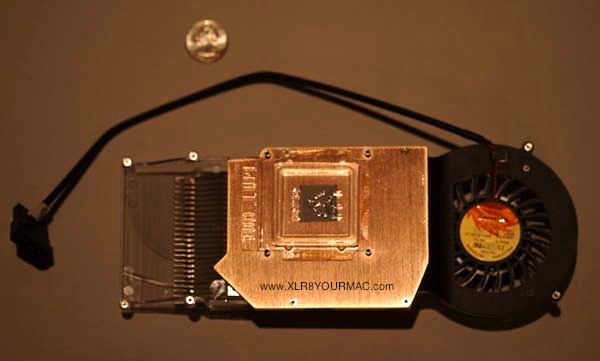
Comparison to stock fan/heatsink:
X1900 Card with Stock fan/heatsink removed:
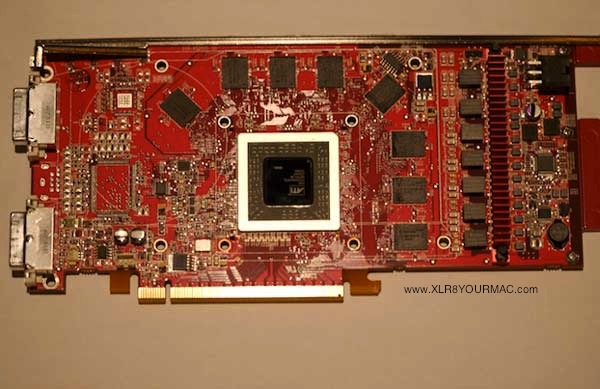
Installation of the TMG-AT1 was very simple. Just applied the thermal pads to the memory chips, set the cooler in place by matching the standoffs to the 4 mounting holes, then secured the backplate with 4 screws. The cooler has thermal paste already applied -- hence the
protective cover in the 2nd pic above. I did have to take off the PCI bracket to get the old fan off and the new fan on -- I just had to unscrew the 4 thumb screws for the DVI connectors and remove 3 other screws with a Phillips #1 driver.
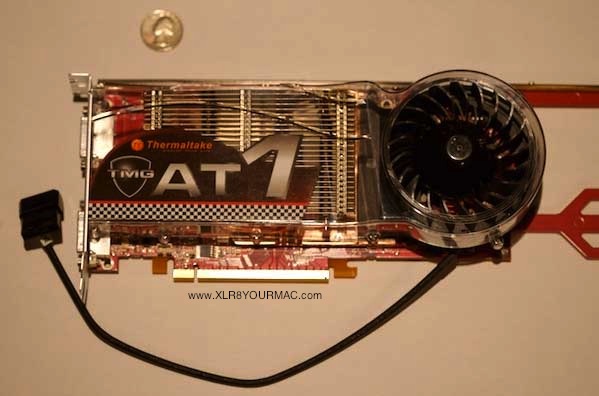
The one thing about this fan is that it requires a spare 4 pin molex connector (typically used to power older PATA drives) -- this is a problem with the Mac Pro, since there isn't one that is available where the PCI-X slots are. There is a spare 4 pin molex power
connector in the optical drive bay and this is what I used to power the fan. I had to some minor mod'ing to get the power cables to the
main compartment. First, I disassembled the female end of a male-female power cord extender that I bought from Radio Shack (part #278-0767):
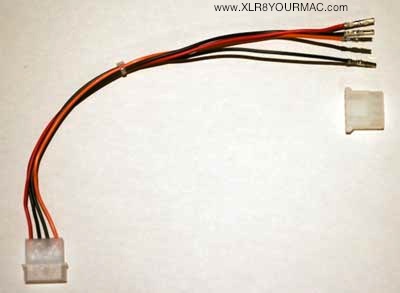
Then, I hooked up the spare molex connector in the optical drive bay of the Mac Pro to a Y-power cable adapter (Radio Shack part #278-0766). I wanted to leave a spare connector so that I could add a second optical drive later (probably a Blu-Ray drive once Apple
supports it in Leopard, although this may end up being a SATA drive anyway). I then hooked up the male end of the above cable to one
end of the Y-connector.
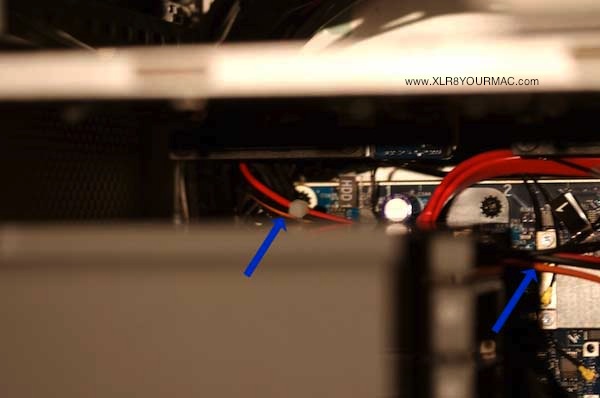
Then, I snaked the wires with the crimped female connectors through the cable opening in the front of the Mac Pro at the bottom of the optical bay, following the other cables behind the SATA Hard drive connectors, into the main compartment containing the motherboard. I then reassembled the molex connector by snapping the female connectors into the plastic housing.
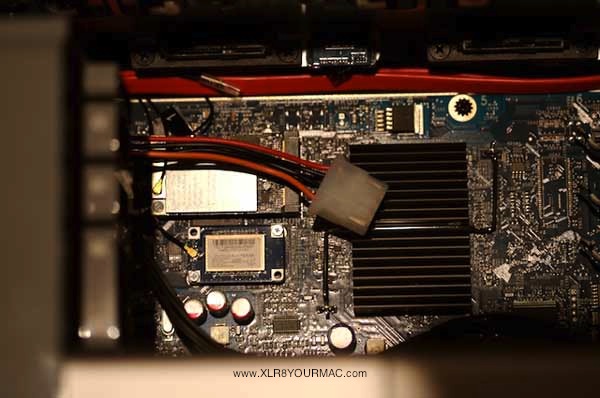
Then, slid the hard drive sleds back in and hooked up the new molex 4 pin connector to the TMG-AT1, hooked up the mini 6-pin molex power connector for the X1900, slid the X1900 into the double wide PCI-x slot, and screwed the PCI bracket holder in the Mac Pro back in place. Voila:
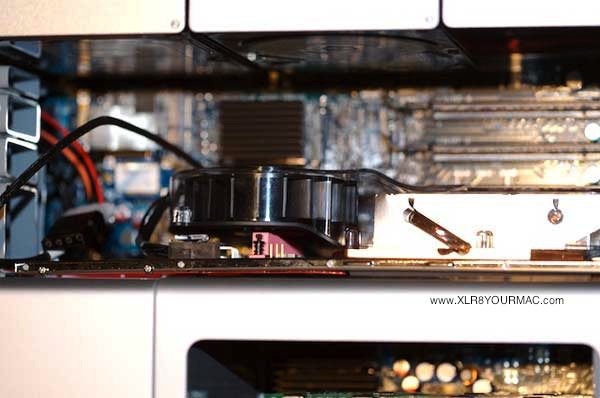
Thermaltake also included stickers in the retail package. I wonder if they'll make my Mac Pro faster if I stick them on?
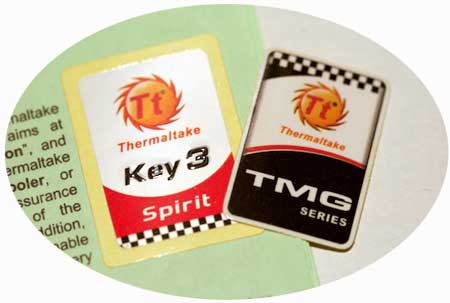
Anyways, the new fan is very quiet compared with the stock fan -- I mainly hear the whirr of the stock Seagate HD now. I don't play a lot
of games, but I'll check temps next time I break out Q3A or UT2004. I'll let you know if I have any problems or new observations, but so far I have been very happy with the unit. A little pricier than the AcceleroX2, and it took a bit of tinkering; but I think it's worth it given how much the X1900 and the rest of my Mac Pro costs. Hope this helps a fellow Mac user or two out there.
(He later wrote)
No problems so far with the fan with several days of continuous use with dual monitors (30" and 23" Cinema Displays), although I never did have problems with the X1900 before, either. Using Hardware Monitor, temps in the PCI compartment have ranged from 30-36 degrees celsius, which doesn't seem out of the ordinary...
Cheers, James
See the Video topics page for other Graphics card related articles.
| 