(Jan. 28, 2009)
"
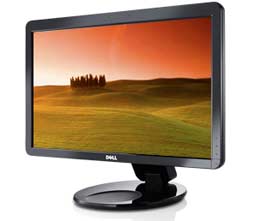
I bought two of the Dell 23" monitors (SP2309W) from OWC based on positive user reports on your site and elsewhere. I run them side by side as an extended desktop on a 2008 Mac Pro. I thought I would offer a few brief observations for anyone else interested in using this inexpensive monitor with a Mac:
1. The monitors are very attractive in their piano black (perhaps apart from the Dell moniker), and they swivel and extend vertically with a simple push of the finger. The onscreen menu and associated touch sensitive buttons are very elegant and simple...probably the best I've ever used. I believe the monitors are manufactured by Samsung, and the quality shows.
2. My Mac Pro with NVidia 8800 GT (512MB) recognized the native resolution immediately and booted up without a problem. At native resolution, two of these monitors side-by-side produce a desktop of 4096 x 1152, which is long but narrow. By comparison, the 30" Apple monitor gives you a more square-like 2560 x 1600 of unbroken desktop. On the other hand, both these monitors combined cost less than a third of the price of the Apple offering. (FYI - they now have the 30in Dell Display for $1099.99) Even the resolution of one monitor is enough to allow two documents side by side (i.e., web browser + Word doc, etc.). Each monitor is also a full HD (1080p) video monitor, and a HD quicktime trailer looked fantastic.
3. The built in USB webcam and microphone work great. Skype works without a hitch. iChat worked only intermittently until I installed the utility iUSBcam, and then everything worked flawlessly.
(I asked for more details on the intermittent issue - as previous reports from current Leopard users didn't note iChat problems w/o iUSBcam installed (although there are notes that if the monitor is turned off, a reboot was needed to get the webcam detected again after powering the display on again). OWC lists that software as needed for iChat and Skype support (they originally tested w/macs that had built-in iSight and said the display webcam was detected but no video). I've written the 2 earlier readers (below) to ask if they'd seen any issues since their initial reports (i.e. with longer term use).-Mike)
(his reply with more details on the display webcam)
My problem with iChat was the common problem of the Mac not recognizing non-Apple USB cameras in circumstances when the camera isn't connected or turned on at boot time (mentioned earlier) or after another application (like Skype) has taken control of the camera. In both cases, iChat will fail to locate and control the camera (black screen only).
I think the problem is that OS X only scans for USB cameras and loads the appropriate driver at boot time. In the case of the Dell monitor, the camera isn't visible to the Mac unless the monitor is turned on prior to booting the Mac, but sometimes the timing is off such that the monitor doesn't turn on until my Mac Pro is almost finished booting. This causes the OS to miss the USB camera and not load the driver.
Other times the Mac initially finds the camera at boot, and iChat can use it, but then if you use the camera with another application like Skype, the camera becomes it inoperable in iChat until the next reboot (even after you have quit Skype). Basically, it was a crap shoot as to whether or not iChat would find and use the USB camera. Interestingly, Skype never seems to have a problem finding and using the camera.
Clearly, this on/off pattern is a pain, since you never know whether iChat will find the USB camera or lose it. So I thought it was worth spending $10 to buy USBcam and never have to worry again. With USBcam, iChat always finds the camera without exception. USBcam seems to work by triggering the OS to search for new USB devices every time iChat starts up (similar to what happens at boot, in a sense). It's simple and effective and worth $10.
The webcam picture quality is a little rougher than the iSight in my Macbook Pro, but it was perfectly usable, even in low light.
(FYI: The 2309W specs lists a 2 megapixel webcam with dual Mics,)
(his later reply on webcam image quality)
Regarding image quality, the image on the Dell monitor is in the same league as the Apple camera built into my 2008 Macbook Pro and my kids' Macbooks. Overall, I find the Apple camera to be a bit clearer and less noisy, but only marginally so. For a web camera, the Dell monitors are perfectly acceptable. I also like the fact that the monitor includes a built-in USB microphone, since Mac Pro doesn't have a built-in mic. It even has an Apple-like white LED that glows when the camera is in use. You could replace the Dell logo on the front of the monitor with the Apple logo, and no one would be the wiser. It's a nice match for desktop Macs.
4. After making the necessary color adjustments, the screens are gorgeous. Eye-searing bright, deep colors, sharp text and decent color accuracy - as long as you remain centered and slightly above the monitors. The TFT technology makes the monitors prone to color shifting, especially along the vertical axis. The average home or business user will hardly notice - much less care about - the color shifting, but these monitors are simply not a good choice for serious color work unless the user can remain centered on the screen.
5. I replaced a couple of Samsung 20" monitors purchased several years ago, and the improvements in TFT over that time are obvious. Even the heat output is significant lower in these monitors. To anyone with a sub 22" monitor looking for an affordable upgrade, this monitor ($279 at OWC) is a very good deal and well worth the money. If you really want to spread out, buy two! Hope that helps someone...
- Steve A."
(from Jan. 22, 2009)
"
I also purchased one of the Dell SP2309W's from OWC after seeing the ad on your site. I am thrilled with the quality of the monitor, as well as the price (although I notice it went up another $10). A few notes:
- My reading lead me to believe that a Dual Link DVI cable would be necessary for the full 2048 x 1152 resolution. However, only a Single Link cable was provided in the box, and it works just fine. Looking at the pinout diagram in the user guide it seems that it only supports Single Link.
- As previously reported, the web cam and microphones worked out-of-the-box in Leopard 10.5.6 iChat, no third party software required.
- Although Leopard recognized the monitor and had a color profile for it, I found it produced a very washed out image. I ran through the MacOS X color calibration procedure, which mostly resulted in turning the gamma way down, and that greatly improved the picture.
(I did the same thing several years ago with an early model dell 24in LCD (a 'great deal' at $850 back then (early 2005 IIRC) - now you could almost get three for that). The display was very washed out (and much too bright regardless of monitor adjustments) - changing gamma helped a lot. (PC gamma is different than Mac - 1.8 vs 2.2 typically IIRC.) I also used my old favorite (shareware) calibration/profile creation utility on it (at that time using OS X panther) called SuperCal. I've not tried Supercal with Leopard, but used it many times years ago for tweaking displays including several PB G4s.-Mike)
-The monitor has the mounting points for the Dell SoundBar, but it does not have the +12 volt power output. If you want to use a SoundBar make sure you order the one with the optional AC adapter (AX510PA). (And note that it's cheaper from Dell's Small Business site than the Home/Small Office site...).
-Mike B."
This rang a bell about a previous OS X update adding USB webcam support in iChat.
BTW - I wrote OWC about this and they mentioned they'd tested with a Mac w/built-in webcam (iSight) - not a Mac Pro - saying the webcam was recognized in iChat but didn't show video w/o iUSBcam software installed. (They're going to test again with another Mac w/o builtin webcam.)